Before you start — Download Claude Desktop
Download Claude Desktop from the official Claude website, install it, and open the app before continuing with the connector setup.
Download Claude DesktopFollow these visual steps to add the RateSpotFree connector to Claude. Use this URL when filling in the connector details:
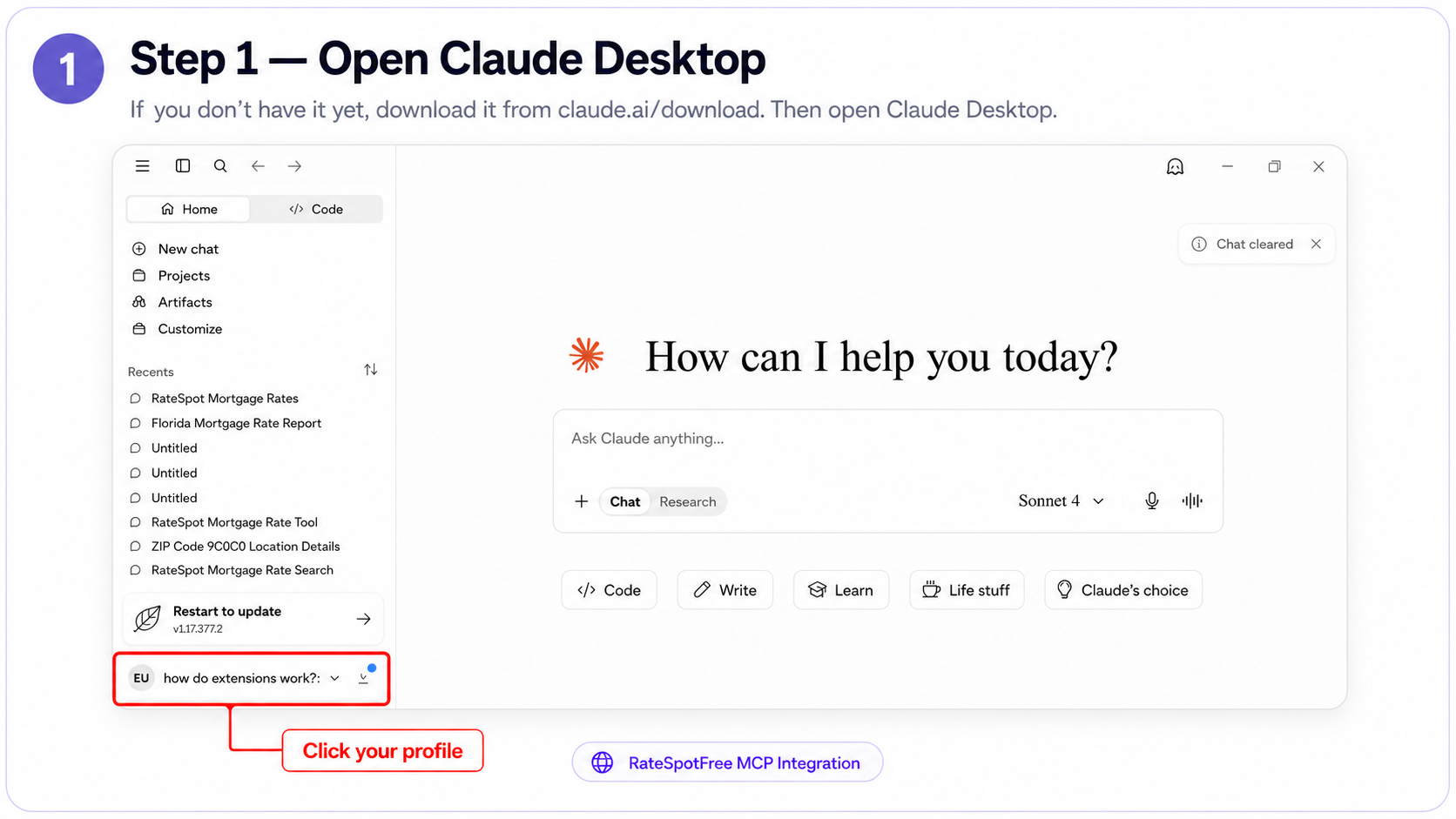
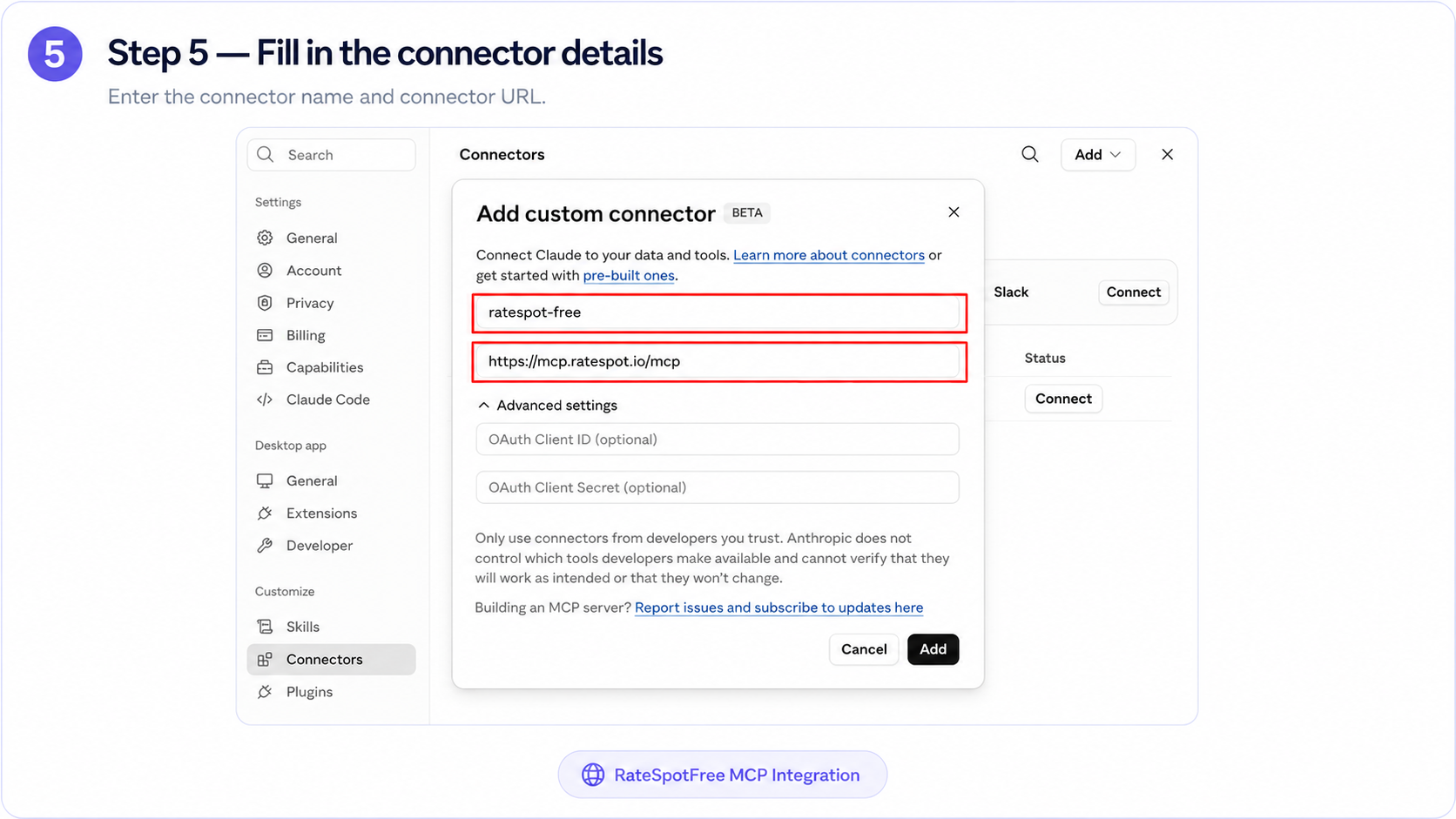
https://mcp.ratespot.io/mcpStep 1 — Open Claude Desktop
If you don’t have it yet, download it from claude.ai/download. Then open Claude Desktop.
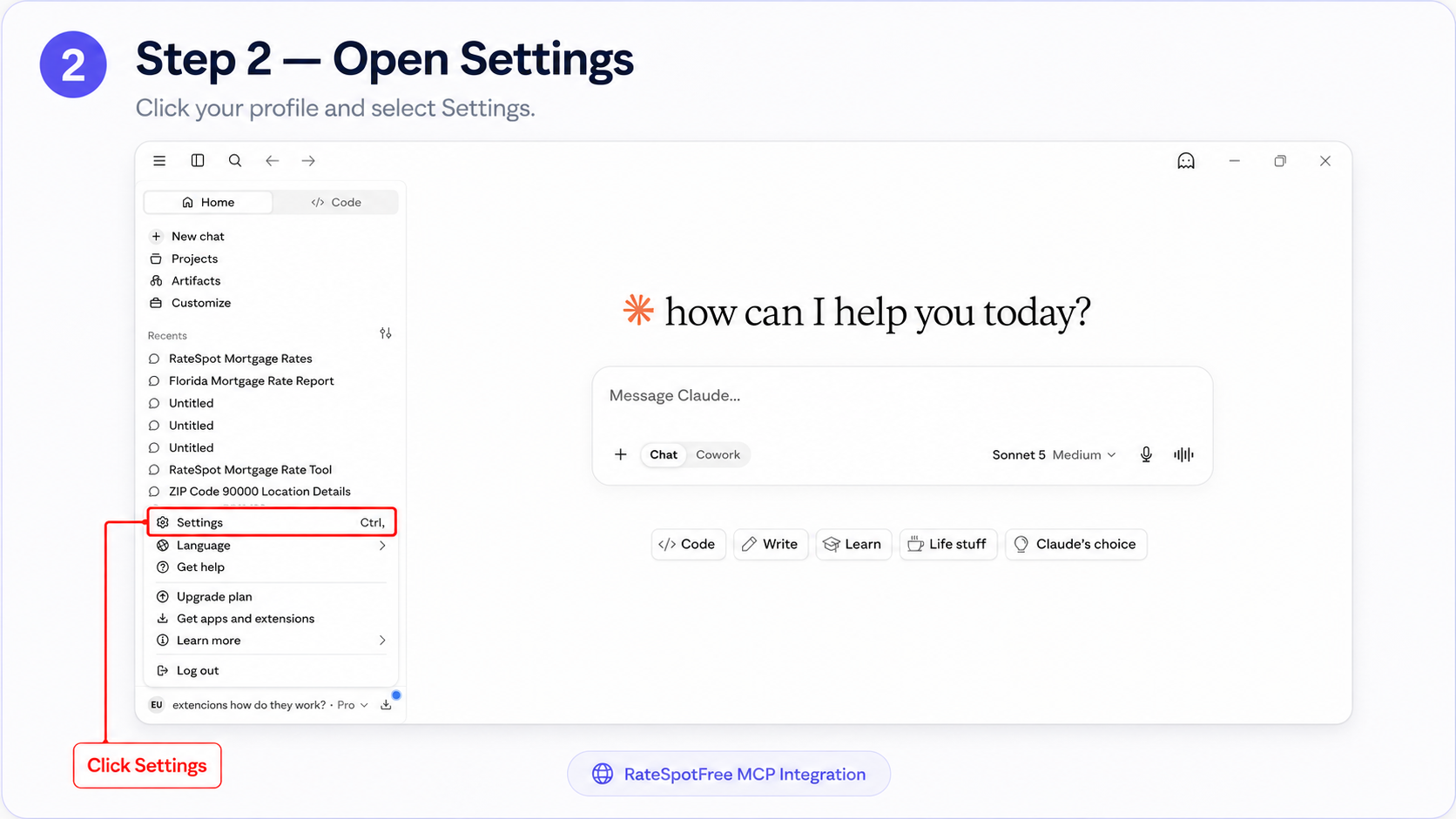
Step 2 — Open Settings
Click your profile and select Settings.
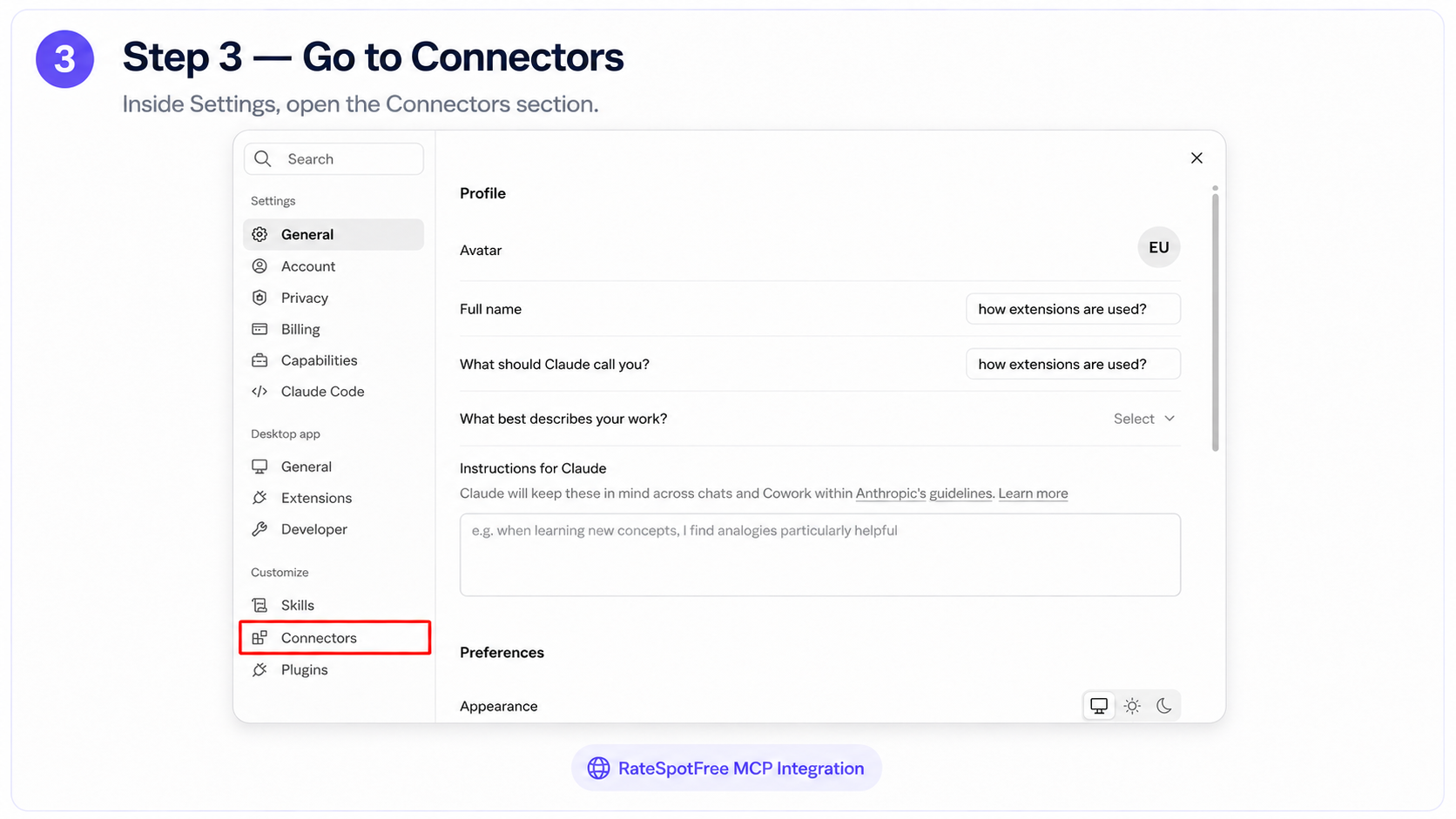
Step 3 — Go to Connectors
Inside Settings, open the Connectors section.
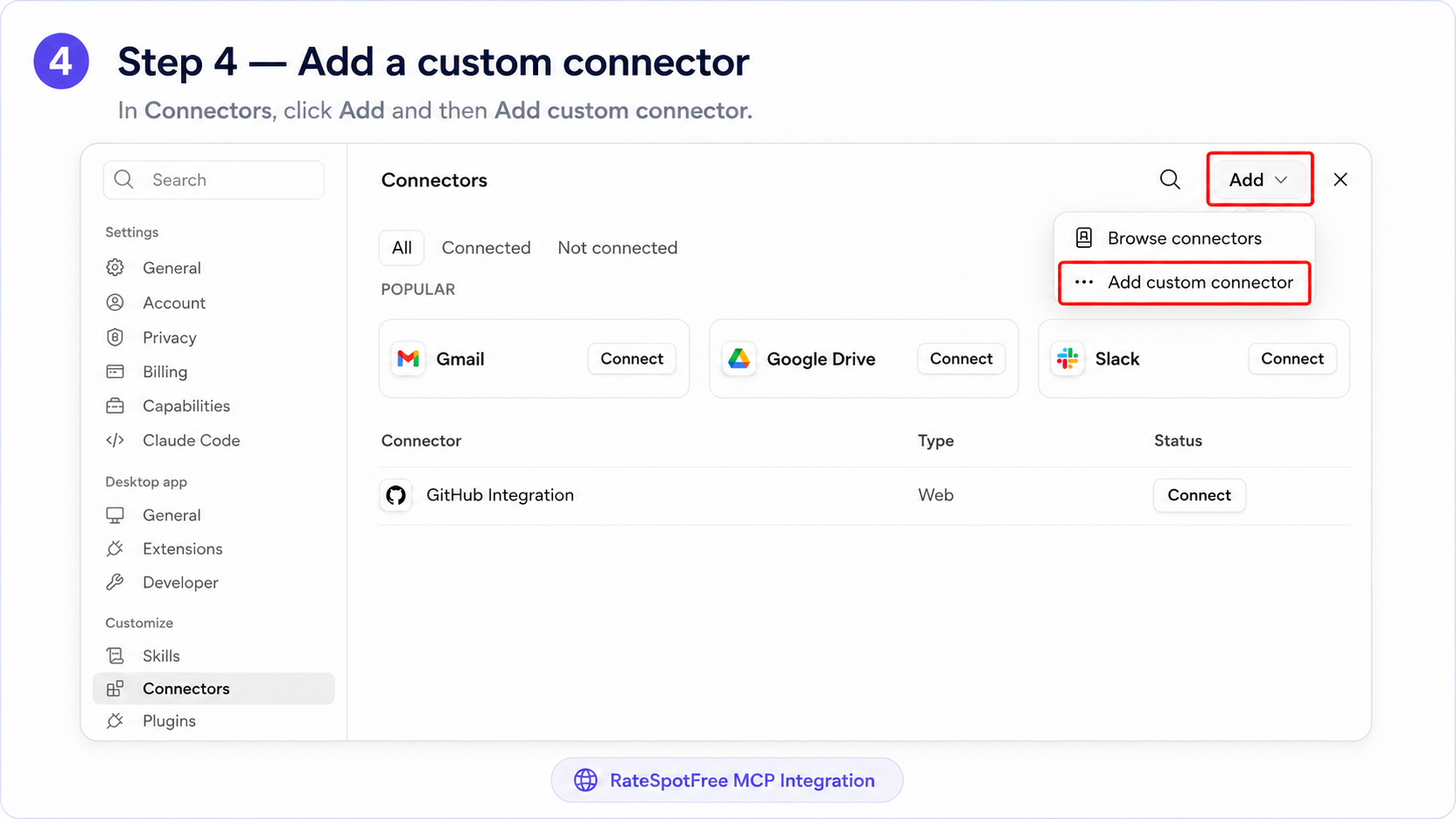
Step 4 — Add a custom connector
In Connectors, click Add and then Add custom connector.
Step 5 — Fill in the connector details
Enter the connector name and connector URL.
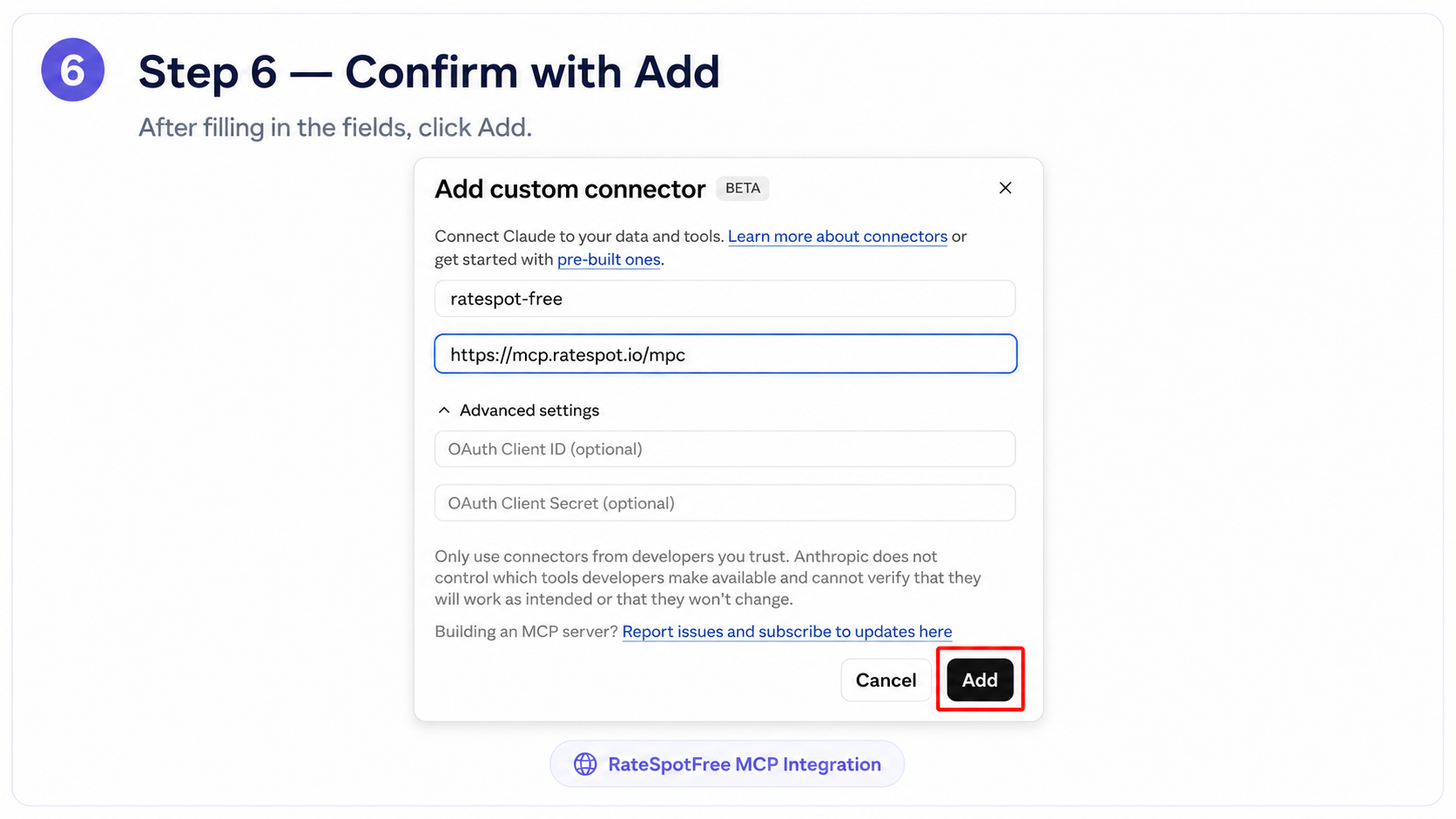
Step 6 — Confirm with Add
After filling in the fields, click Add.
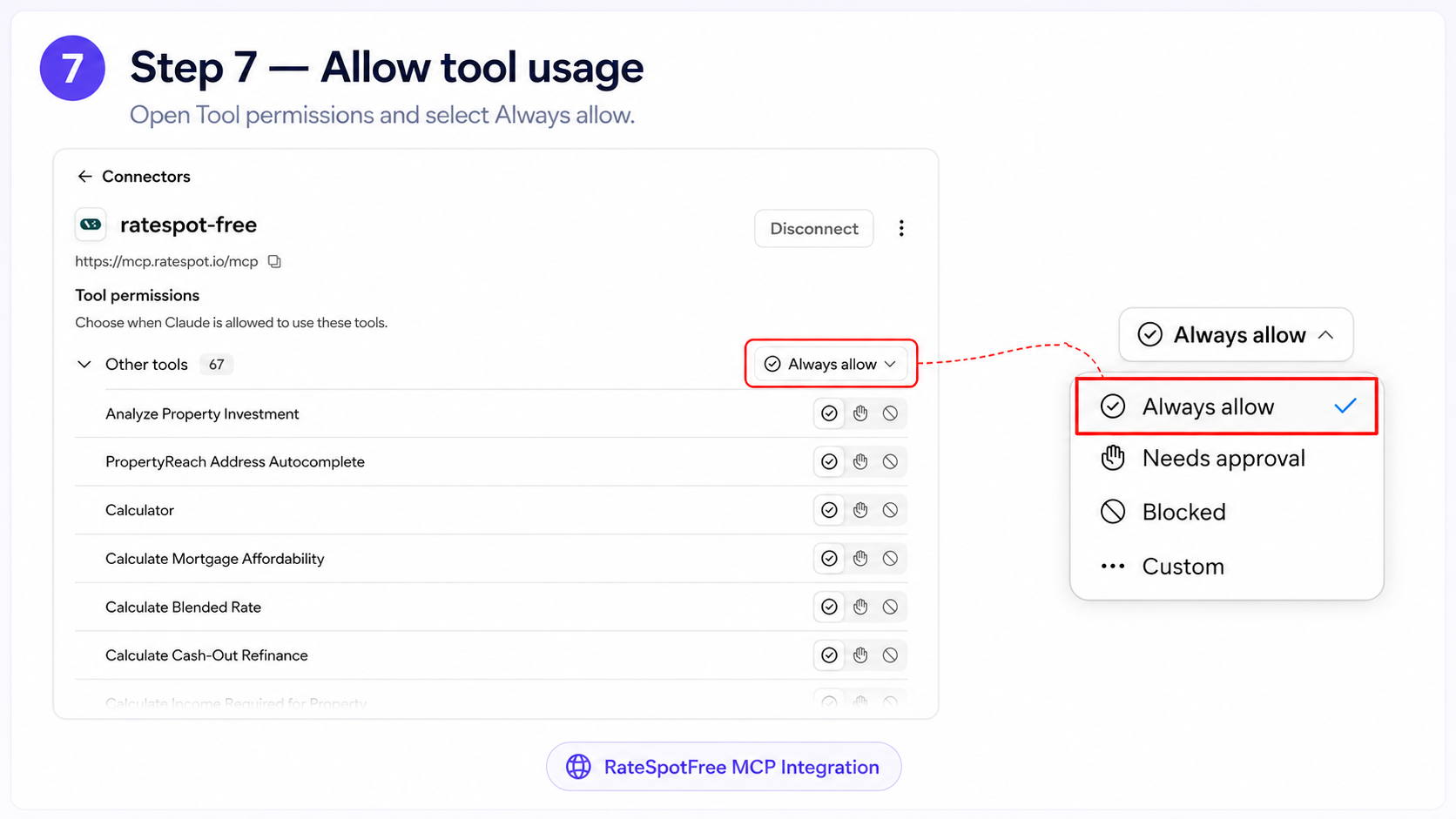
Step 7 — Allow tool usage
Open Tool permissions and select Always allow.
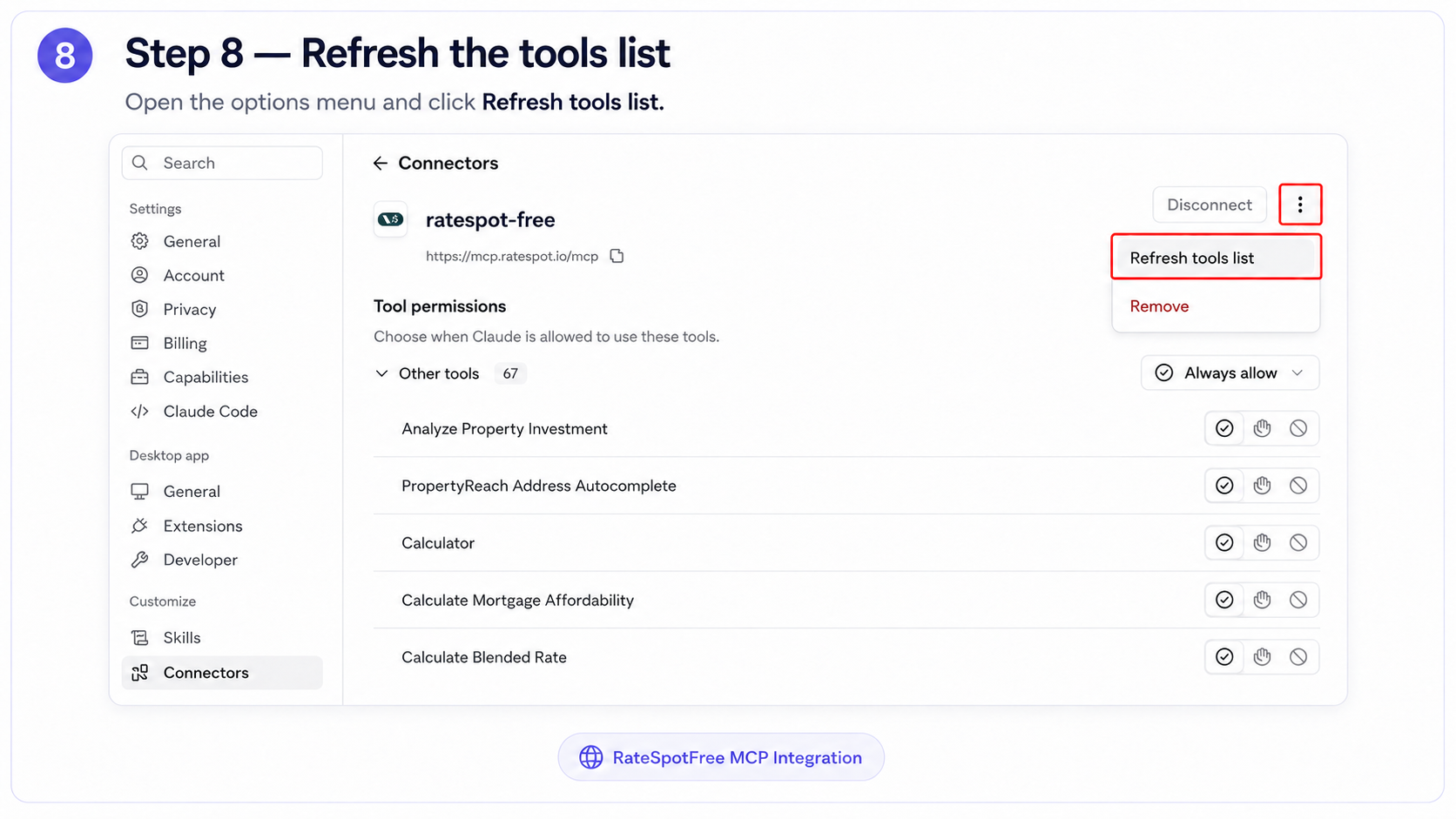
Step 8 — Refresh the tools list
Open the options menu and click Refresh tools list.
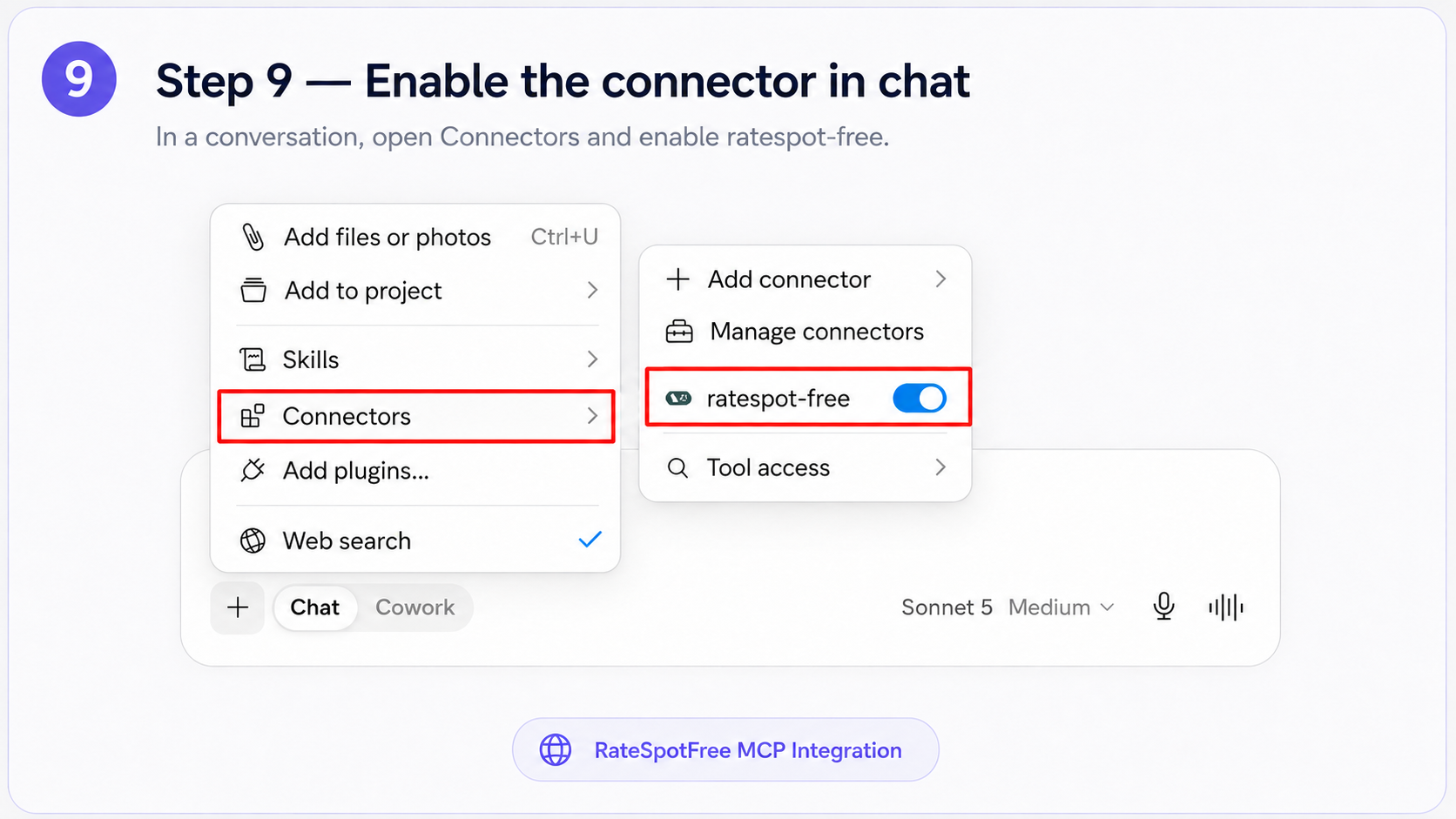
Step 9 — Enable the connector in chat
In a conversation, open Connectors and enable ratespot-free.
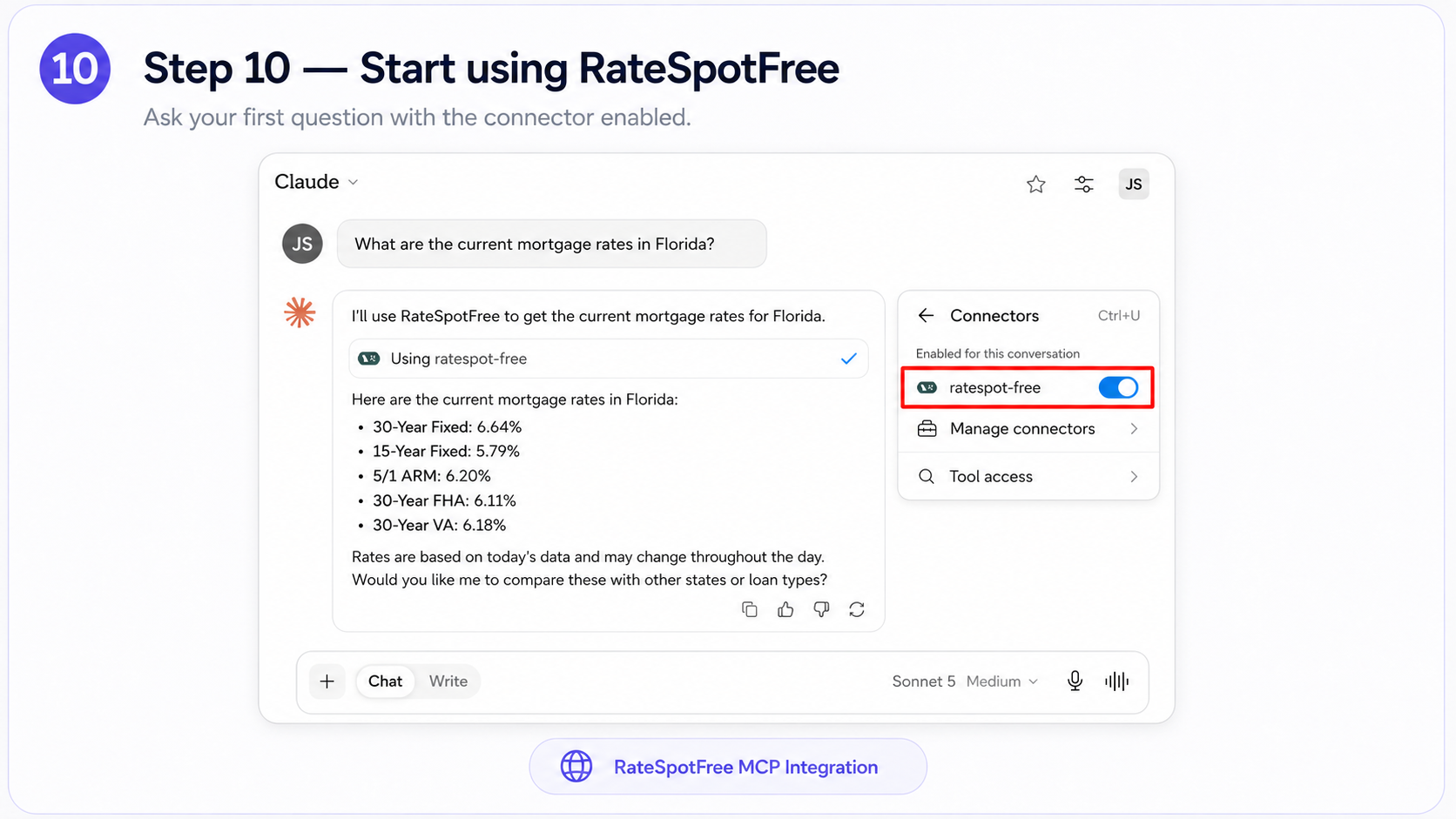
Step 10 — Start using RateSpotFree
Ask your first question with the connector enabled.
Daily usage
Available Tools
(70 of 70)Example questions to try with Claude Desktop
“Show me 3-bed homes for sale in Austin, TX under $550k”
“What are current 30-year fixed mortgage rates?”
“Analyze the cash flow for 123 Main St if I put 20% down”
“Compare cap rates for Phoenix vs. Tampa rental markets”
“What's the median price per sqft in zip code 78701?”
“Find the top 5 Airbnb markets in Florida by revenue”
Use RateSpot Chat
Already logged in? Use the built-in AI chat with all tools pre-connected — no setup needed.
Open ChatMCP Documentation
Learn more about the Model Context Protocol specification and how it enables tool use across AI clients.
modelcontextprotocol.ioServer Information
- Endpoint
- https://mcp.ratespot.io/mcp
- Transport
- Streamable HTTP via supergateway
- Tools available
- 70+ tools across 5 categories